

When to use manual triggers
Manual triggers are a good fit for:- trying a new Automation on a small set of targets
- maintenance work you want to supervise closely
- one-off repository sweeps
- workflows that should only run after a human decision
Configuration
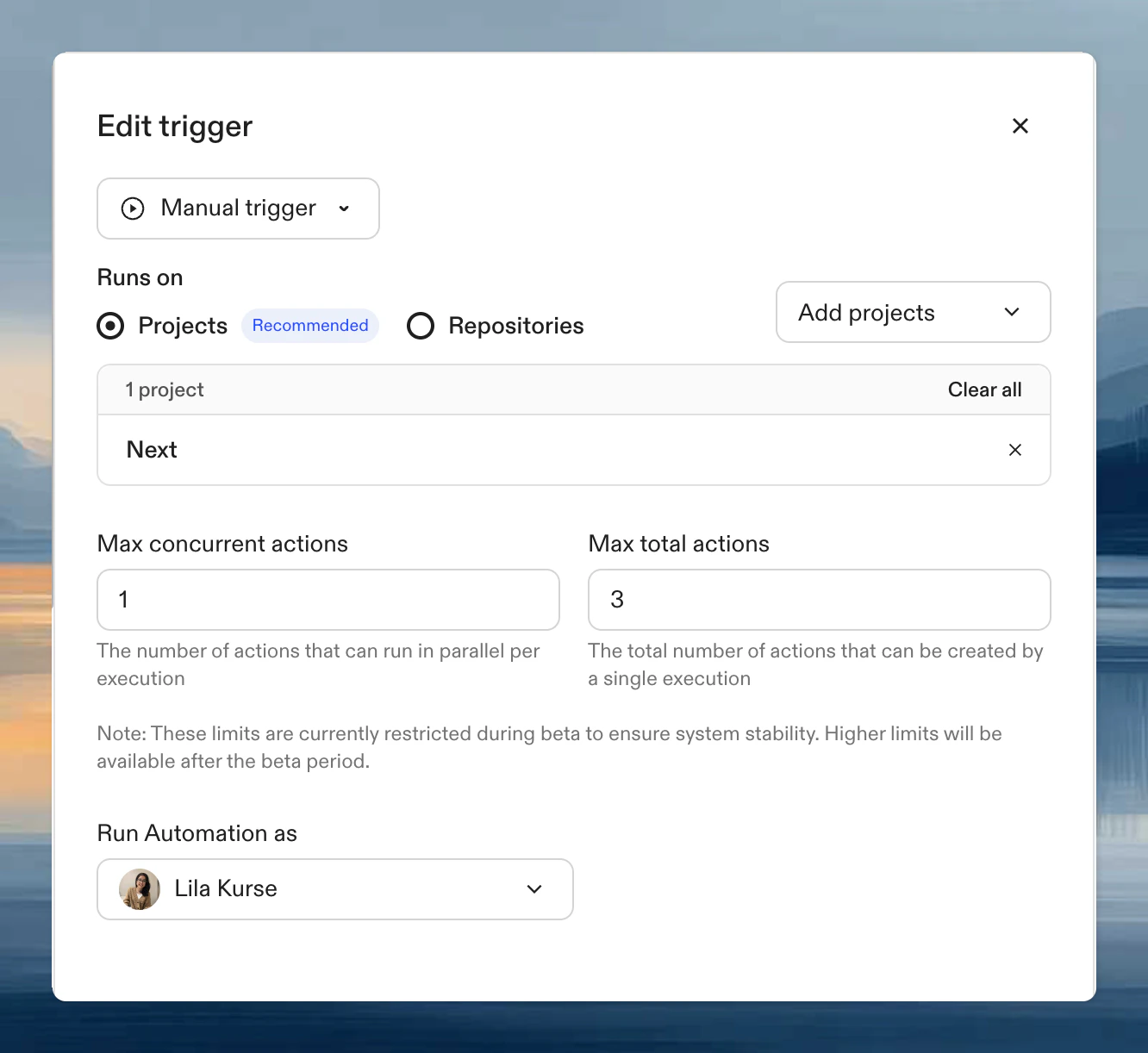
Runs on
Projects (recommended)
Select one or more projects. The Automation runs on all repositories within them. Best for repetitive tasks on known repositories.Repositories
Use a search query to filter repositories. Best for large-scale migrations across many targets.
Partial matches work across owner and repository names.
Search syntax: GitHub | GitLab
Choosing projects vs repository queries
- Projects are best when you already know the exact repositories and want them to use project-level configuration.
- Repository queries are best when you want to sweep a broader set of repositories without manually listing them.
Running
- Navigate to Automations
- Click your Automation
- Click Run to use its configured targets, or use the arrow next to Run and select Run with options to change targets or enter parameter values.
Review after the run
After a manual run, check:- which targets were selected
- whether the right repositories were included
- whether the actions produced the expected pull requests, comments, or reports